Best Laptops for Programming: CPU Power, RAM, and Developer-Friendly Features
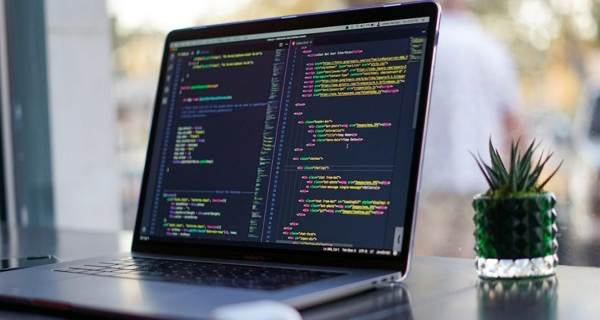
Choosing the right laptop for programming is not just about performance—it directly affects productivity, comfort, and long-term efficiency. Developers spend hours writing, compiling, and testing code, so factors like CPU strength, memory capacity, storage speed, and ergonomics all play a critical role in daily workflow.
When comparing options in detail, many users refer to guides like best laptops for programming to understand how different models stack up. However, to make the right decision, it is important to understand what specifications truly matter for development tasks and why they impact real-world performance.
Table of Contents
ToggleWhy CPU Power Matters for Developers
The processor (CPU) is the core component that determines how quickly your system compiles code, runs virtual machines, and handles multitasking. Modern development environments such as Android Studio, Docker, and large-scale frameworks demand strong multi-core performance.
Key CPU considerations include:
- Higher core counts for faster compilation and multitasking
- Strong single-core performance for responsive IDE usage
- Efficient architecture for long coding sessions without overheating
Most modern programming laptops now use high-performance chips like Intel Core Ultra or Apple Silicon, which balance speed and efficiency for demanding workloads.
For heavy development work such as AI, game development, or large enterprise projects, high-end CPUs (i7, Ryzen 7, or better) are strongly recommended.
RAM: The Key to Smooth Multitasking
RAM determines how many applications and processes your system can handle at once. Developers often run multiple tools simultaneously, including browsers, code editors, terminals, and databases.
Recommended RAM levels:
- 8GB: Entry-level coding and learning
- 16GB: Standard for most developers
- 32GB or more: Professional workflows with VMs and heavy multitasking
Modern development tools are increasingly memory-intensive, making 16GB the practical baseline for smooth performance.
Insufficient RAM leads to slowdowns, especially when switching between IDEs and running local servers or containers.
Storage: Speed Over Everything
Storage type has a major impact on system responsiveness. Solid State Drives (SSD), particularly NVMe SSDs, are now essential for programming laptops.
Key storage guidelines:
- Minimum: 256GB SSD (basic projects)
- Recommended: 512GB SSD (balanced usage)
- Ideal: 1TB SSD (large projects, databases, and tools)
Fast storage improves boot times, project loading speed, and overall system responsiveness. HDDs are no longer suitable for modern development environments.
Display and Comfort for Long Coding Sessions
Since developers spend long hours staring at code, display quality and ergonomics are extremely important. A good screen reduces eye strain and improves productivity.
Important display features include:
- 14–16 inch size for comfortable coding space
- Full HD or higher resolution for sharper text
- 16:10 aspect ratio for more vertical workspace
- IPS or OLED panels for better color accuracy
A larger screen helps with split-screen coding and improves efficiency when managing multiple files or windows.
Developer-Friendly Features That Matter
Beyond core specs, several additional features can significantly improve the programming experience.
Keyboard Quality
A comfortable keyboard is essential since developers type thousands of lines of code daily. Key travel, spacing, and tactile feedback matter more than aesthetics.
Battery Life
Long battery life (8–12 hours or more) allows developers to work without constantly searching for power outlets, especially when working remotely.
Port Selection
Useful ports include:
- USB-C / Thunderbolt for fast data transfer
- HDMI for external monitors
- USB-A for legacy devices
Good connectivity reduces dependency on adapters and improves workflow flexibility.
GPU: Only Necessary for Specific Fields
Most programming tasks do not require a dedicated GPU. However, certain fields benefit from it:
- Game development (Unity, Unreal Engine)
- Machine learning and AI workloads
- 3D modeling and rendering
For general web development, backend programming, or app development, integrated graphics are usually sufficient.
Final Thoughts
Selecting the right programming laptop comes down to balancing CPU power, RAM capacity, storage speed, and comfort-focused features. A well-chosen machine not only improves performance but also reduces fatigue during long coding sessions.
Ultimately, the best setup is one that matches your workflow—whether you’re a beginner learning the basics or a professional working on complex systems. By prioritizing the right specifications, you can build a reliable development environment that supports productivity and long-term growth in your programming journey.






Post Comment